Python
 3 min read
Automating the bench
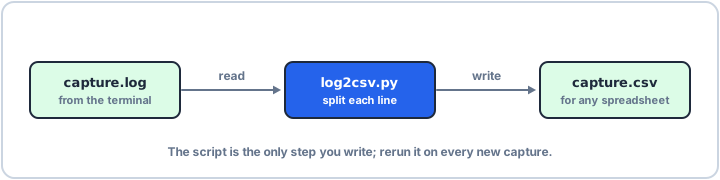
Every insight so far comes together here: a script that reads a serial capture, splits each line into fields and writes a CSV you can chart in any spreadsheet. With argparse and pathlib it runs on any capture with one command.
Parse, then write
The firmware prints one line per reading: a timestamp, a temperature and the battery voltage. The csv module handles quoting and separators for you. Here the log is a string and the CSV goes to an in-memory buffer, so you can run it as it is:
import csvimport iolog = """00:01 T=23.45 V=3.3100:02 T=23.51 V=3.3000:03 T=23.62 V=3.12"""out = io.StringIO()writer = csv.writer(out, lineterminator="\n")writer.writerow(["time", "temp_c", "vbat"])for line in log.splitlines(): time, temp, volts = line.split() writer.writerow([time, temp[2:], volts[2:]])print(out.getvalue(), end="")time,temp_c,vbat 00:01,23.45,3.31 00:02,23.51,3.30 00:03,23.62,3.12
A tool you can run on any capture
Turn it into a command-line tool. argparse reads the file name from the command line and writes --help for you; pathlib builds the output name from the input name. Run it as python log2csv.py capture.log.
import argparseimport csvfrom pathlib import Pathparser = argparse.ArgumentParser(description="Serial log to CSV")parser.add_argument("log", type=Path, help="capture from the serial terminal")args = parser.parse_args()target = args.log.with_suffix(".csv")with args.log.open() as src, target.open("w", newline="") as dst: writer = csv.writer(dst) writer.writerow(["time", "temp_c", "vbat"]) for line in src: if line.strip(): time, temp, volts = line.split() writer.writerow([time, temp[2:], volts[2:]])print("wrote", target)Because the script names its output after its input, you can run it over a whole folder of captures, or call it after every automated test run. The pattern scales: read, parse, write, and keep each step small enough to try on a string first, as in the first example.