Python
 3 min read
Python as your workbench
C++ becomes firmware on the chip; Python usually runs on your PC, next to the board. It is interpreted, so there is no build step between a question and its answer. That makes it the ideal bench tool: a calculator that speaks hex, a log reader and a test runner in one.
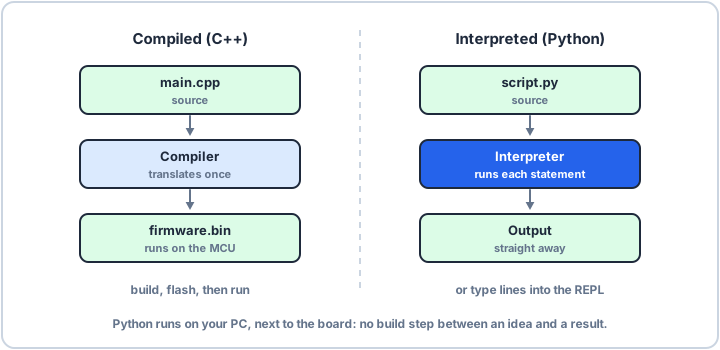
Compiled vs interpreted
A compiler translates your whole program into machine code before it runs: that is how C++ becomes firmware.bin. An interpreter reads the program and runs it statement by statement. Python is interpreted, so you can change a line and run it again straight away. You give up raw speed, but on the bench the slow part is you, not the CPU.
The REPL: a calculator that speaks hex
Type python in a terminal with no file name and you get the >>> prompt. This is the REPL: it reads a line, evaluates it, prints the result and loops. It is the fastest way to check a baud-rate divider or decode a register value. The same lines also work in a script, where you call print() to see results:
# The REPL prints each result itself; a script prints what you ask for.print(0x2A + 1)print(hex(255), bin(5))print(72_000_000 // 115_200) # UART divider for 115200 baud at 72 MHz43 0xff 0b101 625
Your first script
Save the lines in a file ending in .py and run python first.py. Lines starting with # are comments. Words such as if, for, def and class are keywords, so you can't use them as names. Any editor works; the python.org installer also includes a simple one called IDLE.